You are able to export Fama Futra courier orders to the Fama Futra system with the Parcely app and download shipping labels from the Parcely orders view.
How to activate Fama Futar API?
To activate Fama Futra order exporting, please open the Parcely app in your store and move to "Service Providers"→select "Fama Futra "→check "Automated data exchange".
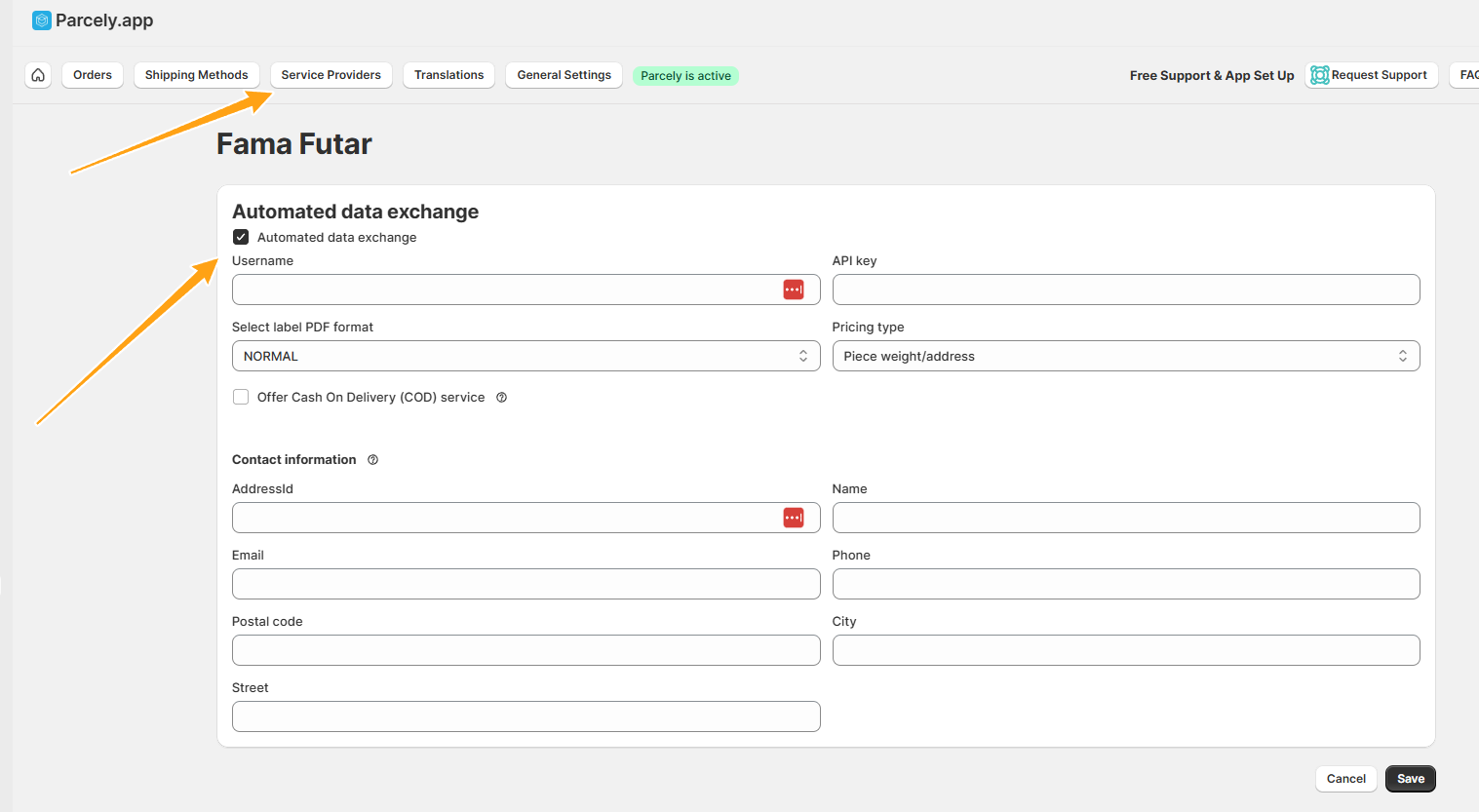
Fill in all the fields and save.
Now you will be able to export order to Fama Futra system in Parcely orders view and download shipping labels.
Was this article helpful?
That’s Great!
Thank you for your feedback
Sorry! We couldn't be helpful
Thank you for your feedback
Feedback sent
We appreciate your effort and will try to fix the article