Add the "Parcely (after 05.10.26)" app embed block to the cart page by clicking "Add block" under the Subtotal section.
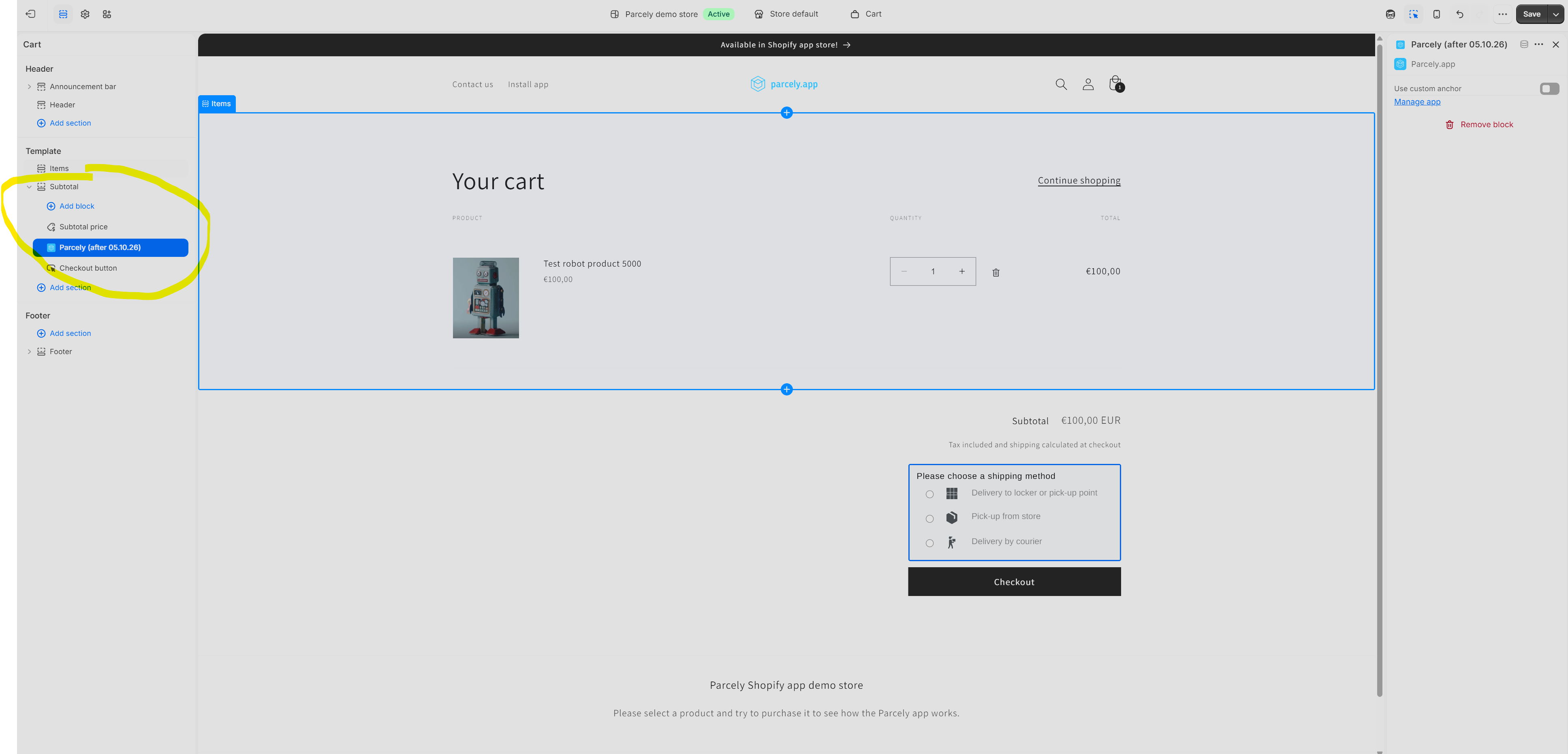
The example screenshot was taken in the Dawn theme.
If your store theme cart page doesn't have a Subtotal section or blocks to move the Parcely widget to the desired location, you can use the following div in the theme Liquid files. (Shipping selection can only be placed on the cart page)
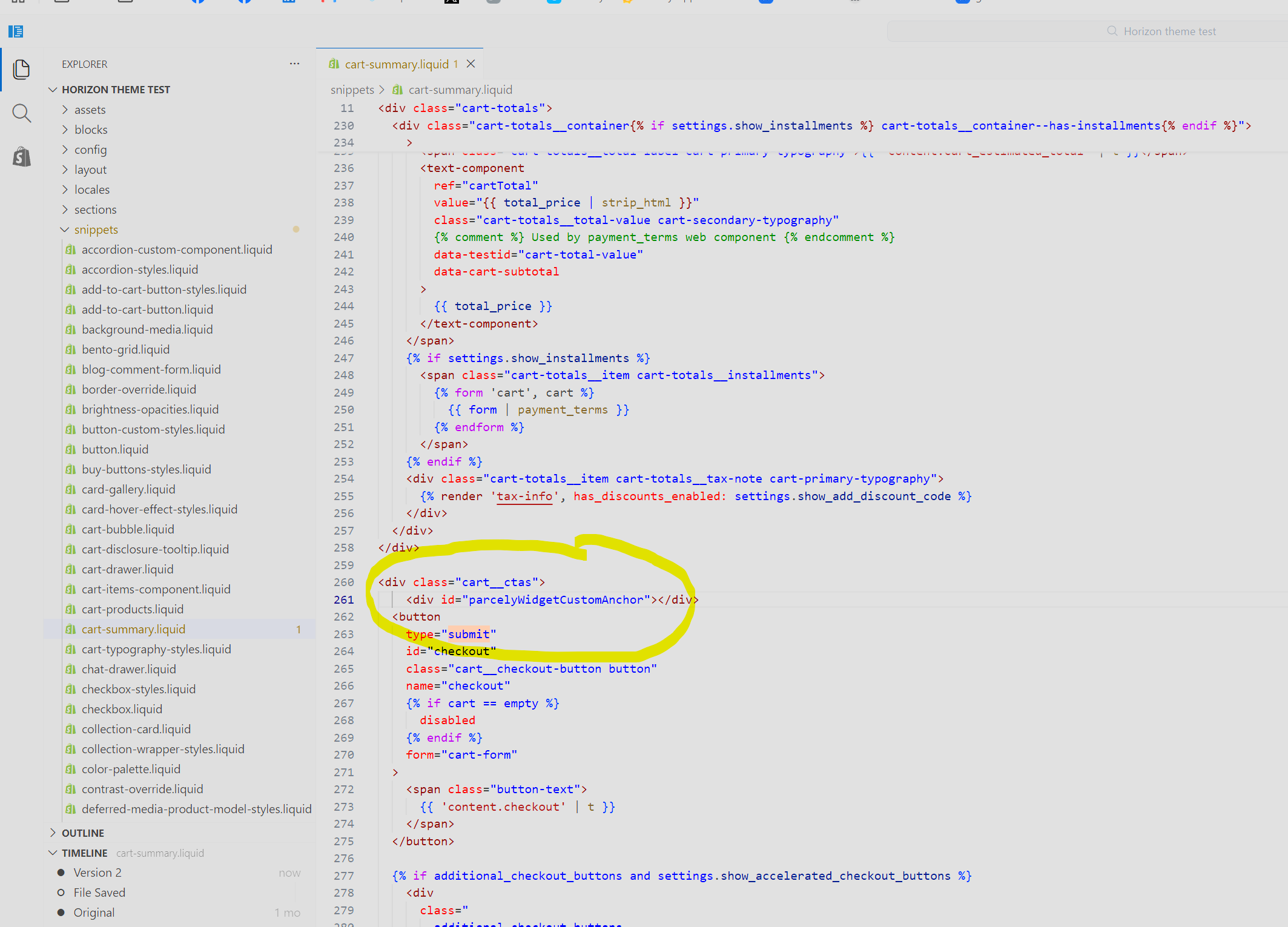
<div id="parcelyWidgetCustomAnchor"></div>
Make sure you activate "Use custom anchor" in the app embed. Check next example
Example: How to move shipping selection with Anchor Horizon theme?
1. Add Parcely app embed to the cart page
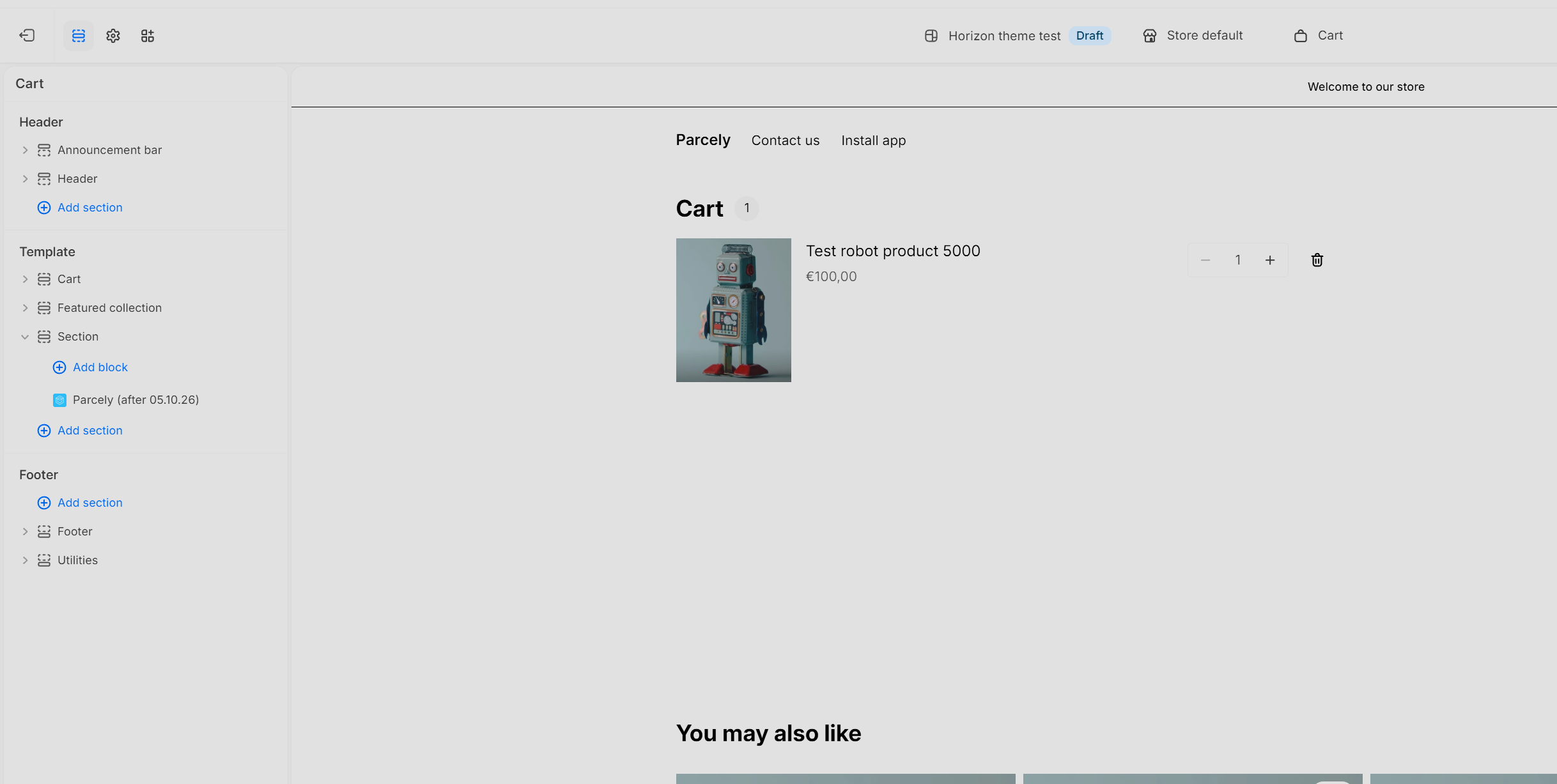
2. Click on the Embed and activate "Use custom anchor"

3. Add a custom anchor to the "cart-summary.liquid" file before the checkout button.
Was this article helpful?
That’s Great!
Thank you for your feedback
Sorry! We couldn't be helpful
Thank you for your feedback
Feedback sent
We appreciate your effort and will try to fix the article